

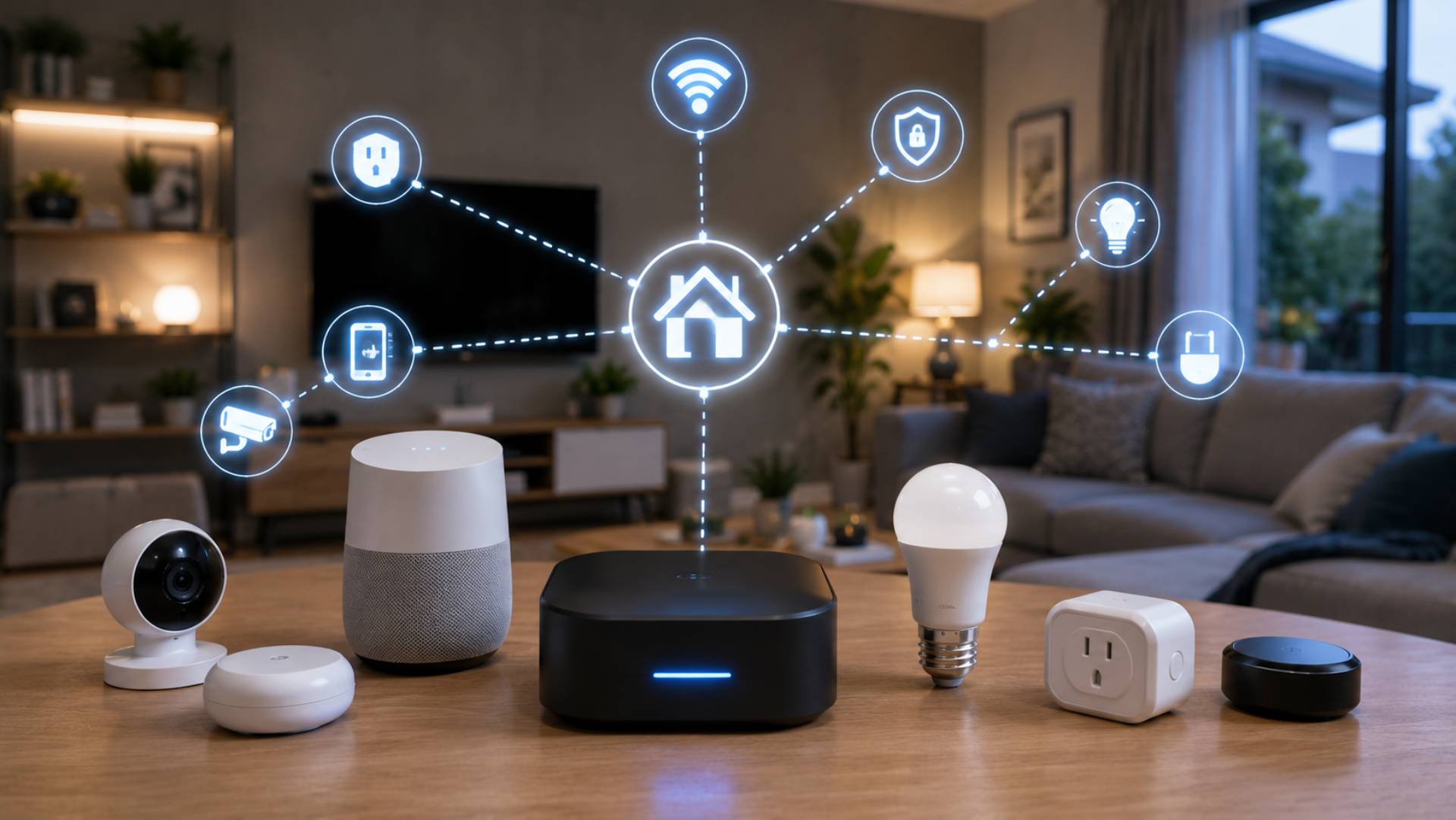
Smart home technology can make everyday life easier, but choosing compatible devices is not always straightforward. Two products may both be described as “smart” yet fail to work together in the way you expect.
The confusion usually comes from terms such as hubs, ecosystems, platforms, protocols, controllers, and interoperability. Understanding what these terms mean can help you make better buying decisions and avoid building a smart home that becomes difficult or expensive to expand.
The good news is that you do not need to understand every technical detail. You simply need to know how the major pieces fit together and what to check before buying.
What Does Smart Home Compatibility Mean?
Smart home compatibility means that different devices, software platforms, and control systems can communicate or work together as intended.
Compatibility can exist at several levels.
A smart bulb might connect to your home network but may not support the same platform as your smart thermostat. Two devices may both support a particular standard but offer different features through that connection.
This is why a simple statement such as “both devices support Wi-Fi” does not automatically mean they will work together.
When evaluating compatibility, consider the complete system rather than one specification.
Device, Platform, Hub, Ecosystem, and Controller Explained
These terms are often used interchangeably, but they describe different parts of a smart home.
What Is a Smart Home Device?
A device is the physical product performing a task.
Examples include:
- Smart bulbs
- Smart switches
- Smart thermostats
- Smart locks
- Motion sensors
- Door sensors
- Cameras
- Smart plugs
- Connected appliances
A device may communicate directly with a phone or network, or it may depend on another piece of equipment.
What Is a Smart Home Platform?
A platform provides the software environment used to manage compatible devices.
It may allow you to control devices through an app, create schedules, build automations, and connect different types of equipment.
The platform is essentially the software layer that helps turn individual devices into a more coordinated system.
What Is a Hub?
A hub is a device that can act as a central communication point for compatible smart-home products.
Some devices require a specific hub to communicate with the rest of the system. Other devices can connect directly to a home network or use a different type of controller.
A hub can also help coordinate automation between devices that do not communicate directly with one another.
What Is an Ecosystem?
An ecosystem is the broader combination of compatible devices, software, services, and controls that operate within a particular smart-home environment.
Choosing an ecosystem can make it easier to expand your system because you have a clearer idea of which products are designed to work together.
What Is an Automation Controller?
An automation controller manages rules and routines.
For example, a controller might be able to create a routine where opening the front door triggers hallway lights, changes the thermostat setting, and sends an appropriate notification.
The controller may be built into a hub, software platform, or another device.
What Is a Smart Home Protocol?
A protocol is a communication method that defines how devices exchange information.
Different smart-home technologies use different protocols, each with its own characteristics.
Some commonly encountered technologies include Wi-Fi, Bluetooth, Thread, Zigbee, Z-Wave, and Matter.
The important point is that a protocol is not the same thing as a platform.
A protocol describes how communication happens. A platform or ecosystem determines how devices are managed and how features are brought together.
Wi-Fi in Smart Homes
Wi-Fi is already present in most homes, which makes it a familiar option for connected devices.
Many smart cameras, appliances, displays, and other products can connect directly to a wireless network.
One advantage is that a separate hub may not be necessary for every Wi-Fi device.
However, adding a large number of network-connected devices can increase demand on your home network. Wi-Fi coverage and reliability also matter, particularly in larger homes.
Before adding numerous devices, make sure your router and wireless coverage are suitable for the number and locations of products you plan to use.
Bluetooth for Smart Home Devices
Bluetooth is widely used for short-range wireless communication.
In smart homes, it may be used for device setup, direct control, or communication with compatible equipment.
Bluetooth can be useful when a device does not need the range or network connectivity associated with Wi-Fi.
Its suitability depends on the specific product and implementation, so do not assume that two Bluetooth devices will automatically work together.
Thread and Low-Power Connectivity
Thread is designed for connected devices that benefit from low-power networking and reliable communication within a smart-home environment.
It is particularly relevant to smaller devices such as sensors and controls.
Thread uses mesh networking, meaning compatible devices can help extend communication across a home rather than relying on one direct connection for every device.
However, supporting Thread does not automatically mean a device will work with every smart-home platform. Check the complete compatibility information for the individual product.
Zigbee and Z-Wave
Zigbee and Z-Wave are established smart-home communication technologies commonly associated with sensors, lighting, switches, and automation equipment.
Both can support mesh networks, where compatible devices can help pass communication through the home.
One important consideration is that devices using these technologies may still require a compatible hub or controller.
The presence of a particular protocol on a product does not tell you everything about how that product will function within your preferred ecosystem.
What Is Matter?
Matter is a smart-home interoperability standard designed to make it easier for compatible devices from different manufacturers to work across supported smart-home platforms.
Its goal is to reduce some of the fragmentation that has historically made smart-home purchasing confusing.
However, Matter support should not be treated as a universal guarantee that every feature will work everywhere.
A device can support Matter while offering additional features through its manufacturer’s own system. Some advanced functions may depend on the platform or controller being used.
Always check the specific features supported by the product, not just the presence of a Matter logo or compatibility statement.
Why Brand Name Alone Is Not Enough
It can be tempting to build an entire smart home around one familiar brand.
A single-brand approach can sometimes simplify setup, but it can also create limitations if the company changes its product range, services, subscriptions, or compatibility policies.
The opposite approach can also create problems. Buying devices solely because each one is inexpensive can leave you managing several unrelated apps and systems.
A better strategy is to choose products based on the role they perform, the standards they support, the platform you intend to use, and how easily they can be replaced later.
Check Compatibility Before Buying
Before purchasing a smart-home device, look beyond the product title.
Check the manufacturer’s specifications and ask:
- Which platforms does it support?
- Does it require a hub?
- Which communication technologies does it use?
- Does it support the automation features I need?
- Can it operate locally?
- Does it require a subscription?
- Will existing devices work with it?
- Can it be controlled manually?
- What happens if the internet connection fails?
- Is the product likely to fit into my future plans?
These questions can prevent many compatibility problems.
Compatibility Is More Than “Works With”
Product packaging often contains phrases such as “works with” followed by the name of a platform or voice assistant.
That statement can be useful, but it does not necessarily mean that every feature is supported.
For example, a smart thermostat may allow basic temperature control through one platform while exposing additional scheduling or sensor features through another.
Likewise, a smart light may support basic on/off control but offer advanced colour or scene functions only through a particular application.
Always check what “works with” actually means for the specific device.
Local Control vs Cloud Control
Another important distinction is where the processing takes place.
Cloud-Dependent Control
Some smart-home services rely heavily on internet-connected servers.
Commands may travel from your app through an online service before reaching the device.
This can enable remote access and additional services, but it also means that an internet outage or service interruption may affect functionality.
Local Control
With local control, some commands and automations can be processed within your home network or through local hardware.
This can reduce dependence on an external service and may improve responsiveness for certain tasks.
Local control does not automatically make a product better. What matters is whether local operation is available for the functions you actually need.
Why Interoperability Matters
Interoperability is the ability of different systems and products to work together.
Good interoperability gives you more freedom when expanding or replacing your smart-home equipment.
Imagine that your smart lighting system needs replacing several years from now. If your entire home depends on a single proprietary system, you may have fewer options.
A more flexible setup can allow you to replace individual components without rebuilding everything.
This is particularly important for long-term home automation because individual devices rarely last forever.
Think About Future Replacement
Smart-home planning should not stop at today’s purchases.
Ask yourself what happens when:
- A smart bulb fails
- A hub becomes obsolete
- A manufacturer stops supporting a product
- Your router is replaced
- You move to a different platform
- A subscription changes
- You want to add another type of device
Choosing open and widely supported technologies where practical can provide greater flexibility.
However, flexibility should be balanced with reliability and simplicity. The most technically open system is not necessarily the easiest one for every household to manage.
Example: Connecting Smart Lighting
Imagine you want smart lighting in your living room.
You might have:
- Smart bulbs or switches
- A compatible communication method
- A hub or controller, if required
- A smart-home platform
- A phone app or voice control
- Motion or light sensors
- Automation routines
You could create a routine that turns on selected lights when motion is detected after sunset.
The important compatibility question is not simply whether each component is “smart.” You need to confirm that the sensor can communicate with the controller, that the controller can operate the lighting, and that the desired automation is supported.
Example: Smart Thermostat and Sensors
A smart thermostat can become more useful when combined with compatible temperature or occupancy sensors.
For example, a sensor in a bedroom could provide additional information about conditions in that area.
However, the thermostat, sensors, platform, and automation controller must support the required relationship.
Before buying multiple components, verify whether the sensor can actually influence the thermostat in the way you expect. Compatibility at a basic control level does not always mean advanced automation is supported.
Example: Smart Locks and Voice Control
Smart locks can offer convenient control through apps, codes, or other approved methods.
Some may also integrate with broader smart-home systems.
Because locks affect physical security, compatibility should never be the only consideration. Look at authentication, backup entry methods, power failure procedures, privacy, software support, and the manufacturer’s security practices.
Voice control should be treated as a convenience feature rather than the sole method of controlling an important security device.
Create a Compatibility Checklist
Before purchasing a new smart-home product, use a simple checklist.
Basic Compatibility
Confirm that the device works with your preferred platform.
Communication Method
Check whether it uses Wi-Fi, Bluetooth, Thread, Zigbee, Z-Wave, Matter, or another technology.
Hub Requirements
Find out whether additional hardware is required.
Automation Support
Check whether the specific routines you want are available.
Network Requirements
Consider wireless coverage, network capacity, and device placement.
Subscription Requirements
Determine whether important features require an ongoing payment.
Offline Operation
Find out which functions continue working without internet access.
Future Expansion
Consider whether the product will make it easier or harder to add devices later.
Common Smart Home Compatibility Mistakes
Assuming the Same Brand Means Everything Works Together
Even products from the same manufacturer can have different platform requirements or feature limitations.
Assuming the Same Protocol Guarantees Compatibility
Two devices can use the same communication technology while still requiring different software, hubs, or controllers.
Buying Based Only on Price
A cheap device can become expensive if it requires additional equipment or forces you to replace existing products.
Ignoring Hub Requirements
A product may look affordable until you discover that a separate hub or bridge is necessary.
Overlooking Subscription Fees
A low purchase price may not reflect the total cost of ownership.
Forgetting About Manual Controls
Essential functions should have sensible alternatives if an app, network, or cloud service becomes unavailable.
Planning Only for Today
Smart-home technology changes quickly. Choose equipment with future expansion and replacement in mind.
How to Build a More Flexible Smart Home
You do not need to avoid proprietary technology completely.
Instead, aim for a sensible balance between convenience and flexibility.
Start with a platform that supports the devices you genuinely need. Prioritise products that provide clear compatibility information and support recognised standards where appropriate.
Keep critical functions simple. Lighting, heating, locks, and security should not become unusable because one automation fails.
It is also worth documenting your system. Keep a simple record of device names, locations, hubs, accounts, and important settings. This can make troubleshooting or future replacement much easier.
Frequently Asked Questions
What is the difference between a smart-home hub and a platform?
A hub is usually a physical device that connects or coordinates compatible smart-home products. A platform is the broader software environment used to manage devices and automations. Depending on the system, these functions can overlap.
Do all smart-home devices need a hub?
No. Some devices connect directly to your home network or another control system. Others require a hub or bridge. Always check the manufacturer’s requirements before purchasing.
Is Matter compatible with everything?
No. Matter is intended to improve interoperability among supported smart-home devices and platforms, but support varies by product and feature. A Matter-compatible device may still have functions that depend on its specific platform or manufacturer system.
Which is better: Wi-Fi, Zigbee, Z-Wave, or Thread?
There is no single best option for every home. Each technology has different characteristics, and the right choice depends on device type, network requirements, hub availability, range, power consumption, and the ecosystem you plan to use.
Can smart-home devices from different brands work together?
Yes, provided they share a compatible platform, protocol, standard, or integration. However, the level of functionality can vary, so check the specific features supported rather than relying on brand names alone.
Conclusion
Smart-home compatibility becomes much easier to understand once you separate the different pieces. Devices perform tasks, protocols provide communication methods, hubs can connect compatible equipment, platforms provide control, and ecosystems bring these elements together.
The most important lesson is simple: never assume that two smart devices will work together just because they are both connected products.
Check platform support, communication technologies, hub requirements, automation features, subscriptions, local operation, and future expansion before buying.
A well-planned smart home should give you freedom rather than lock you into a confusing collection of incompatible products. By prioritising interoperability and thinking about the system as a whole, you can build connected technology that remains useful as your home and technology needs change.
